Are you looking for an easy way to make a card extra special? We created a tuxedo envelope to add that fancy finishing touch. Originally created to match our Godfather-themed Father’s Day card, it is also perfect for birthdays, graduations, or weddings.
This tutorial will take you through the process of creating the tux envelope from our free SVG, using just cardstock and (optional) vinyl. The finished envelope is sized to fit a 5×7″ card, but if you’re making a card that is thicker, I recommend sizing it to 4.75″ x 6.75″.
Pin for later
Video: How to make a tuxedo envelope with a Cricut Maker
Materials and tools:
- Cutting machine – I’m using a Cricut, you’ll need a machine that can cut 12×12″ cardstock
- Scoring Stylus or Scoring Wheel
- Cut file – download the SVGs from our Resource Library
- Cutting mat – 12 x 12″ mats, blue Light Grip for cardstock, green Standard Grip if you use vinyl
- Brayer
- squeegee/scraper
- cardstock – I’m using 65lb Recollections cardstock in black (you will need a 12×12″ piece) and white, and 80lb Cricut cardstock scraps in red and green for the lapel rose
- adhesive vinyl (optional) – I’m accenting the lapels with black Cricut True Brushed permanent vinyl
- transfer tape (optional) – I’m using Cricut brand
- weeding tool – I’m using pointed tweezers
- adhesive – I used dollar store tape runner and Art Glitter brand glue; I also used glue dots for the bowtie, rose, and to tack down the lapels

Download the SVG
The tuxedo card SVG is available for download in the Father’s Day section of our Resource Library.

Upload & prepare your file in Design Space
Open Design Space and start a new project.
1. Upload the SVG (need help? Read our full guide to uploading images)
- Click the Upload icon (lefthand sidebar)
- Click the Upload Image button and follow the prompts (Upload image > choose the file from your download folder > Upload)
2. Select the image and Ungroup (top of Layers panel at the right side of DS canvas). What are all these layers? From top to bottom in the Layers panel:
- the first 8 layers are just basic cut elements that accessorize the envelope (2 rose layers, 2 extra lapels that I am going to cut out of fancy vinyl, 2 buttons, the bowtie, and the white shirt placket)
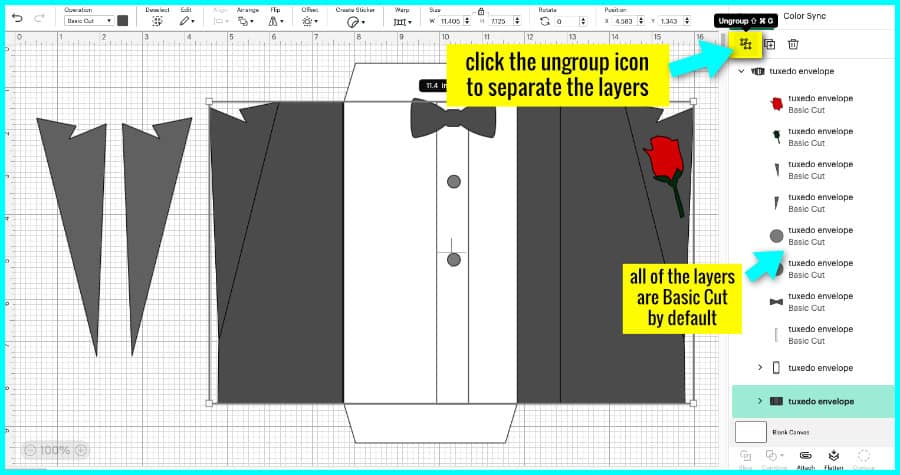
- then there are 2 layer sub-groups (click the arrow next to the layer name to expand the group):
- the group for the white envelope insert and its 2 score lines
- the group for the black envelope base and its 4 score lines
- you don’t need to ungroup these sub-groups

3. Open the sub-group for the black envelope base and highlight all 4 single lines at the top of the sub-group. Change the operation from Basic cut to Score.
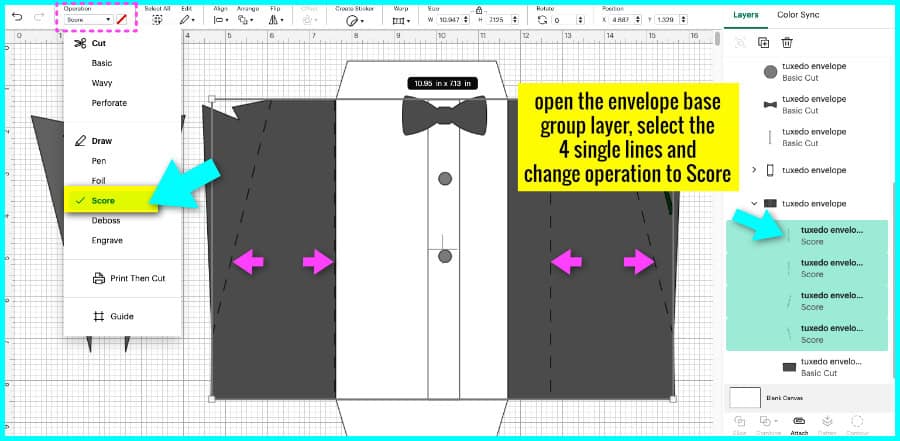
4. Select the group layer for the envelope base (this will contain the 4 score lines and the base) and click Attach.
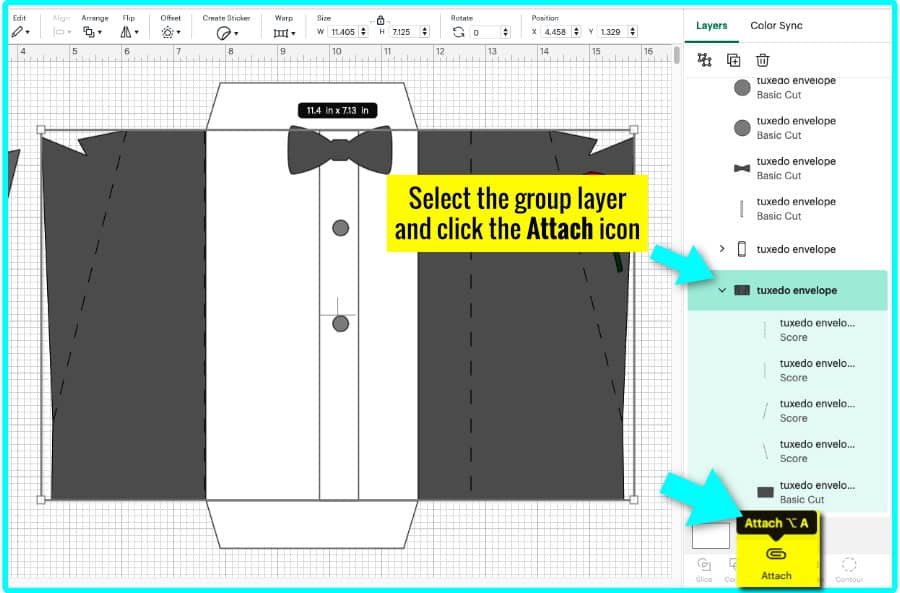
5. Repeat steps 3 & 4 with the white envelope insert group:
- Open the sub-group and highlight the 2 single lines at the top
- change the Operation from Basic cut to Score
- select the group layer for the white envelope insert and click Attach
Now the file is ready to Make!
Cut your cardstock layers
You have 6 layers of cardstock to cut on 4 mats: (you can also cut your buttons and/or lapel covers out of cardstock instead of vinyl)
- black envelope base (must be made using a min. 12×12″ piece of cardstock) + bow tie (cut on the same mat)
- white envelope insert (can be made with 8.5×11″ piece) + placket (skinny rectangular strip)
- green rose base (only need a small scrap of cardstock, 3″x1.5″ is more than enough)
- red rose (small scrap)
I cut all my cardstock using the Medium Cardstock cut setting, default pressure (Maker 3; Explore Air 2, cut with more pressure).
I like to attach my cardstock to the mat using a brayer, which flattens it without leaving scratches.
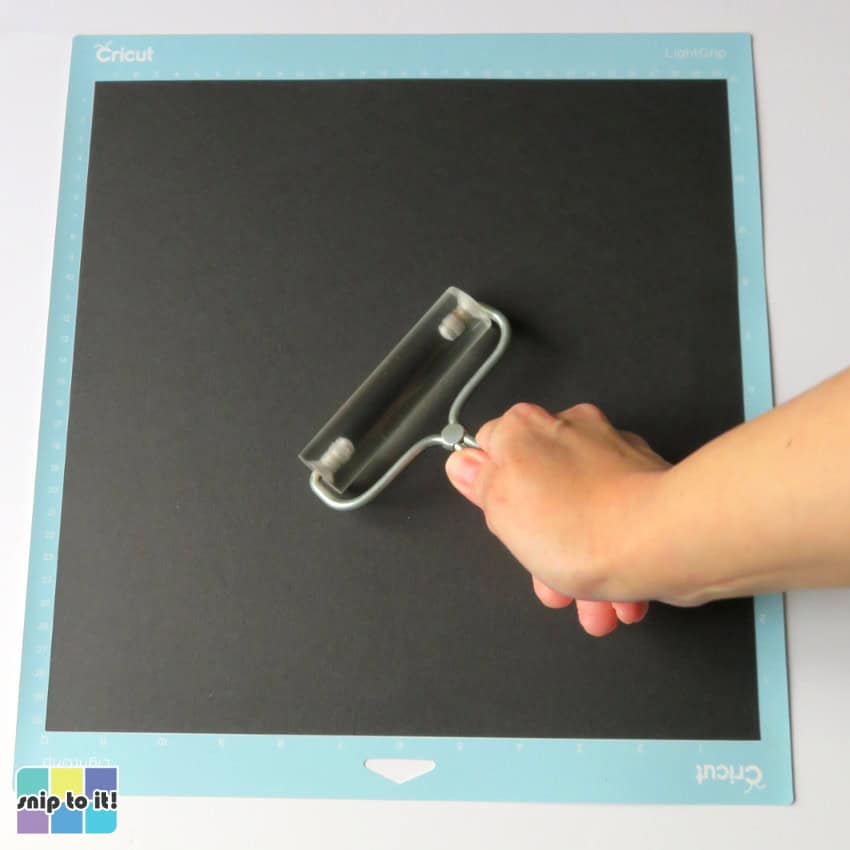
You will need a scoring tool of some sort for the envelope base to make it easier to crease the lapels. I used a Scoring Stylus.
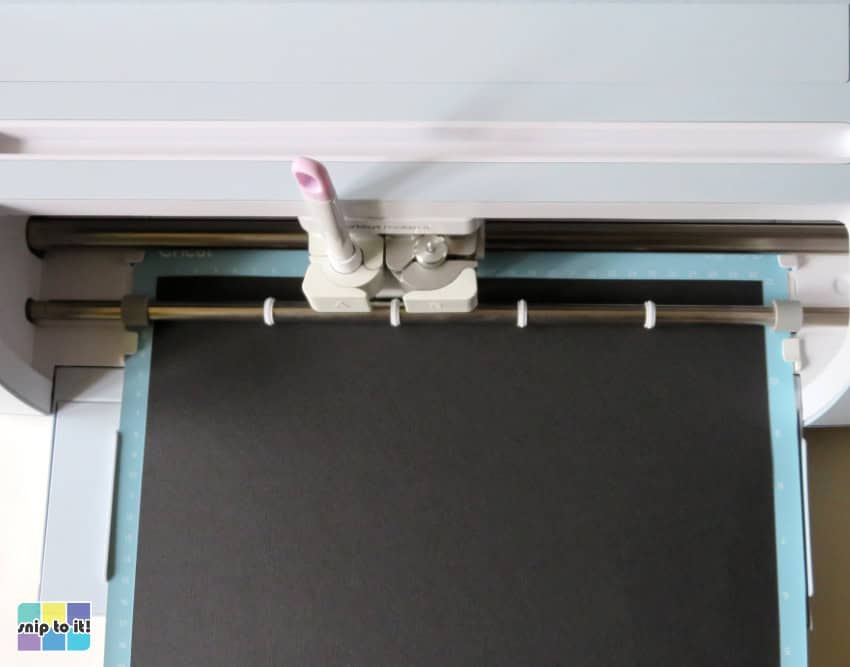
Once your cut is complete, flip your mat over and remove the cardstock from the mat using your squeegee.

Cut all 4 mats of cardstock and you’ve got your paper pieces finished!
Cut your vinyl (optional)
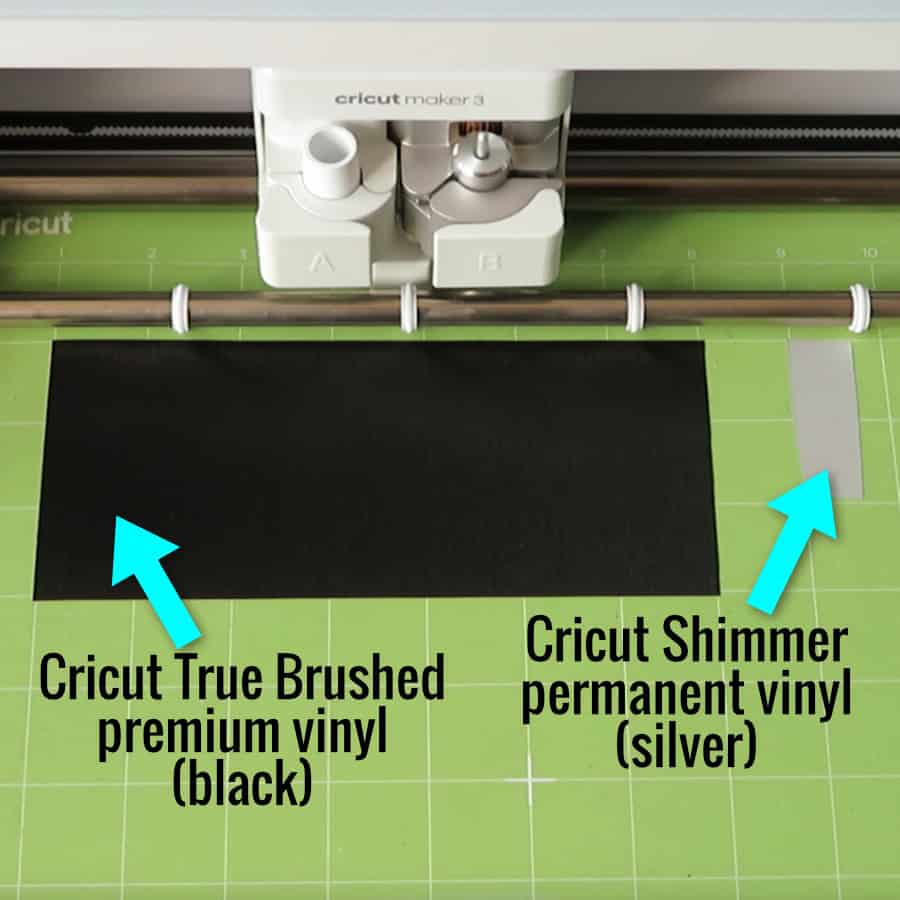
I wanted to add some pizzazz to my tux, so I cut the buttons out of silver Cricut Shimmer vinyl and lapels out of sparkly black Cricut True Brushed vinyl. This is entirely optional, the lapels can be left as plain black cardstock.
True Brushed and Shimmer vinyls were cut using their standard material settings; Shimmer was cut with More pressure. Use whatever works for your machine and do a test cut if you haven’t used a material before. (with my Explore Air 2, I cut textured vinyl using a Deep Point blade and the Washi Sheet setting).
Lay your vinyl face up on the mat and use a brayer/felted squeegee to smooth it down. The True Brushed vinyl was oriented to ensure the grain would be horizontal on the lapels. Cut & weed the vinyl.
Fold and assemble the envelope base & white insert
The envelope base comes together very quickly. There are 2 score lines to fold the flaps of the envelope inward, and 2 score lines to fold the lapels back.

First, fold inward along the vertical lines, then fold the lapels back, away from the center of the envelope and following the score line.
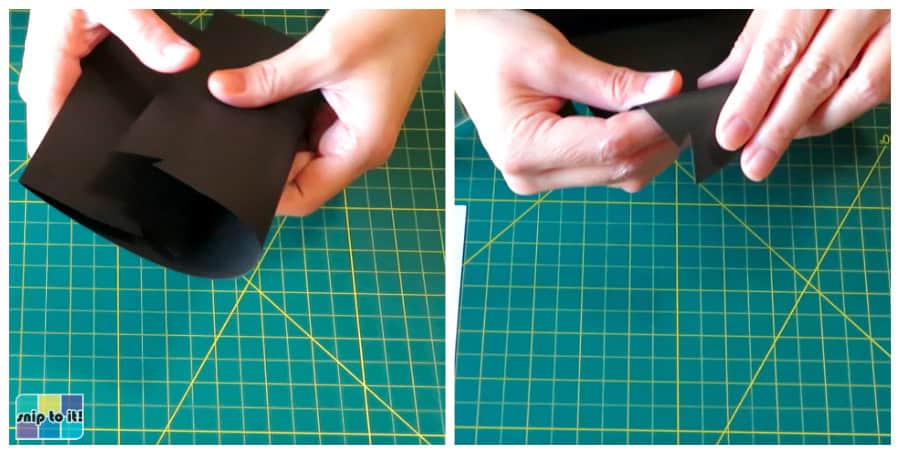
Once you have folded along each score line, roll the creases with a brayer or flatten with a squeegee.

Next, fold along the score lines of the white envelope insert and flatten.
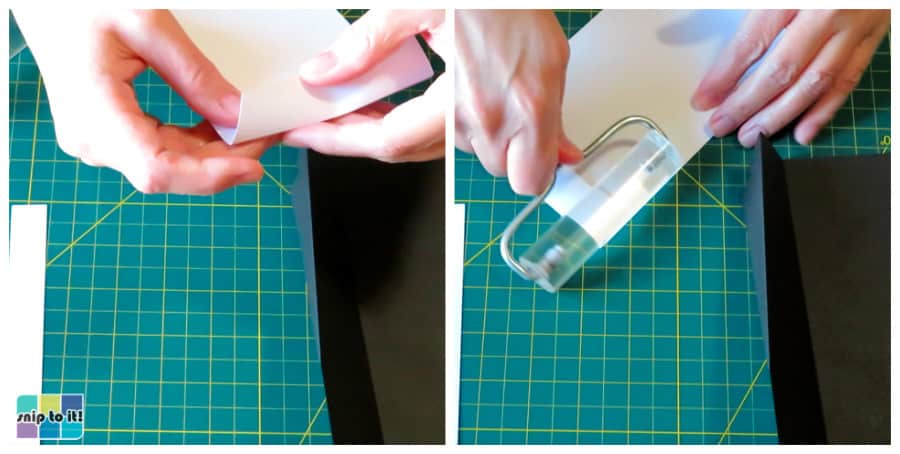
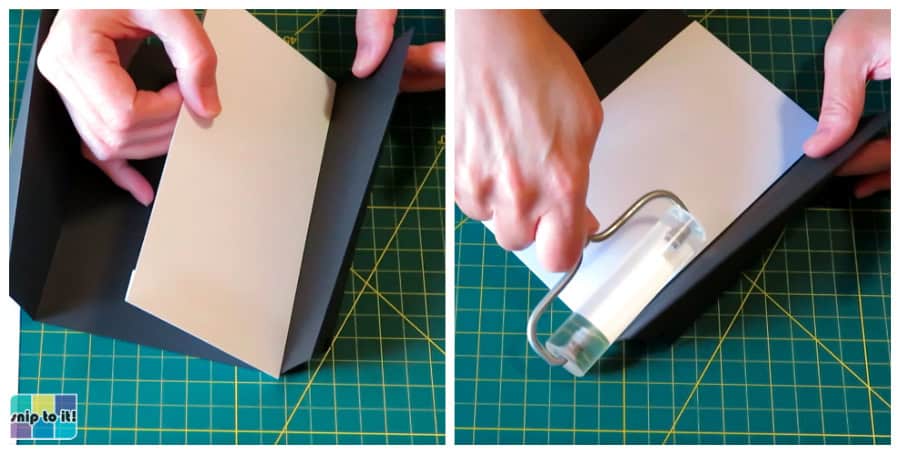
Use tape runner or glue on each flap of the envelope insert and then position along the left hand inner crease of the envelope base. The insert should be lined up with the base layer at the top and bottom. This will create a pocket inside the envelope with a gap at the right side to slide in a card.
Add all the embellishments to the envelope
Now your basic envelope is done, all you have to do is add your accessories.
Glue down the placket
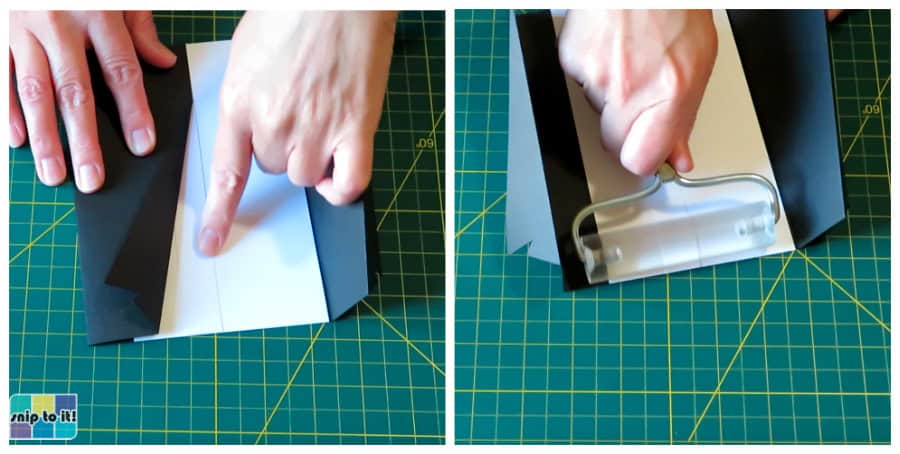
The placket (rectangular white strip of cardstock) gets lined up so it is centered between the lapels on the closed envelope. The placket is sized so that either of the 2 sides of the envelope, when closed, will line up with the opposite edge of the placket. You can use one of the envelope flaps as a guide or you can center the placket between both closed lapels.
I used tape runner to stick down my placket, then flattened with a brayer.
Embellish the lapels
Next, I added vinyl to each lapel. Cover the lapel with a piece of transfer tape (standard, NOT strong grip) and burnish with a squeegee/scraper. Pull the vinyl backing sheet away from the vinyl/transfer tape. Align the vinyl over the lapel portion of the envelope base (I used the top of each lapel and the diagonal score line to guide me).
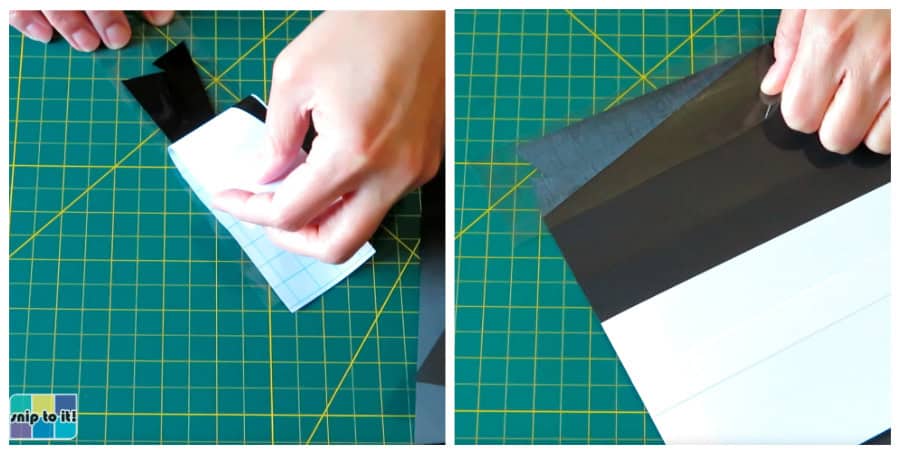
Burnish the lapel onto the cardstock and remove the transfer tape.
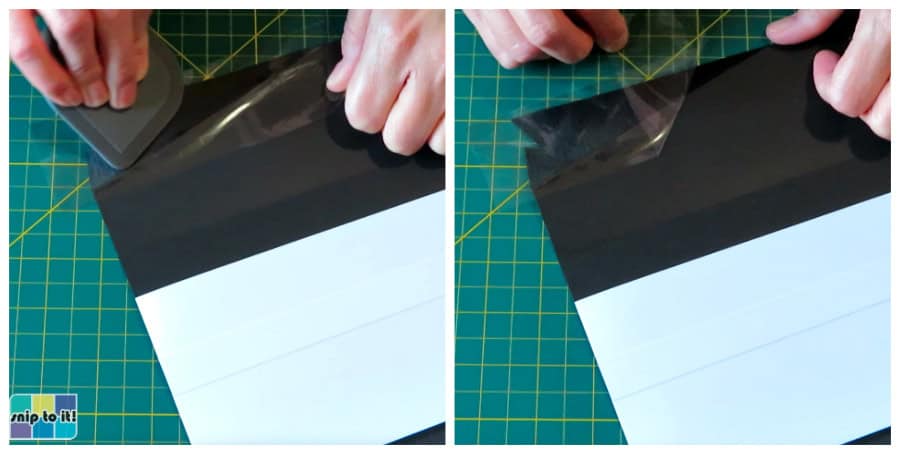
Cover the lapel and burnish again, securing the vinyl to the cardstock.

Add your bow tie and buttons
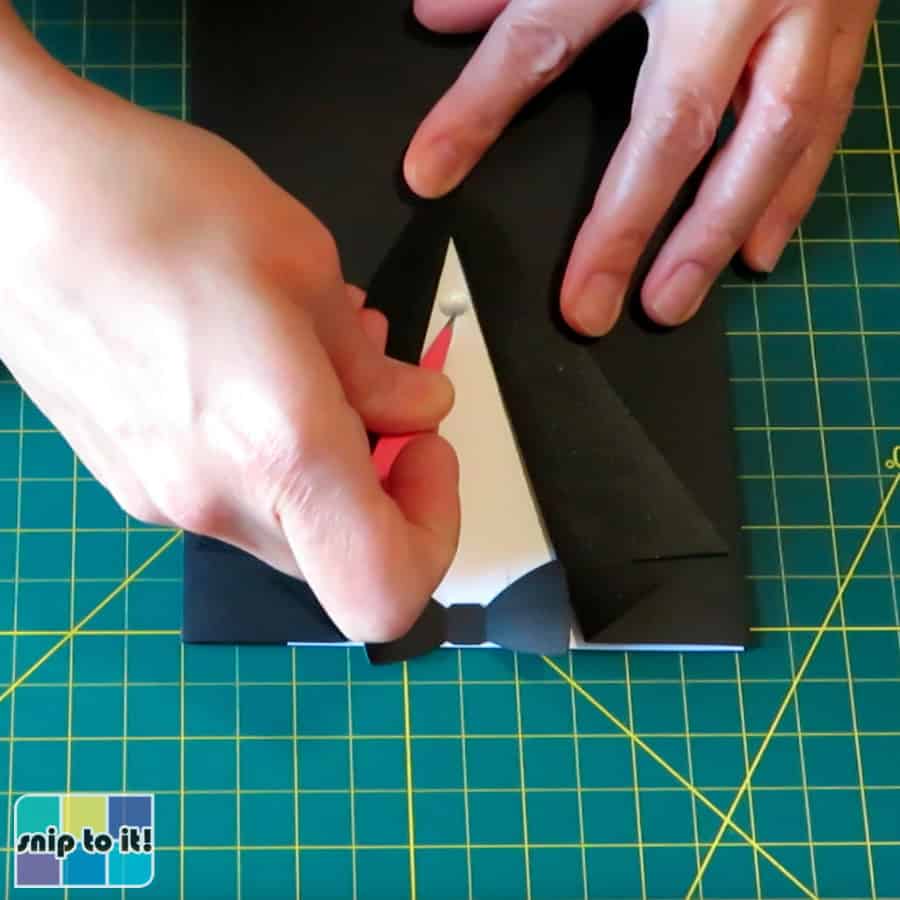
I used a glue dot in the center of my bow tie to attach it at the top of the placket, centered between the lapels. Tacking it down just in the middle means you can fold the sides of the bowtie upward, giving it some dimension.
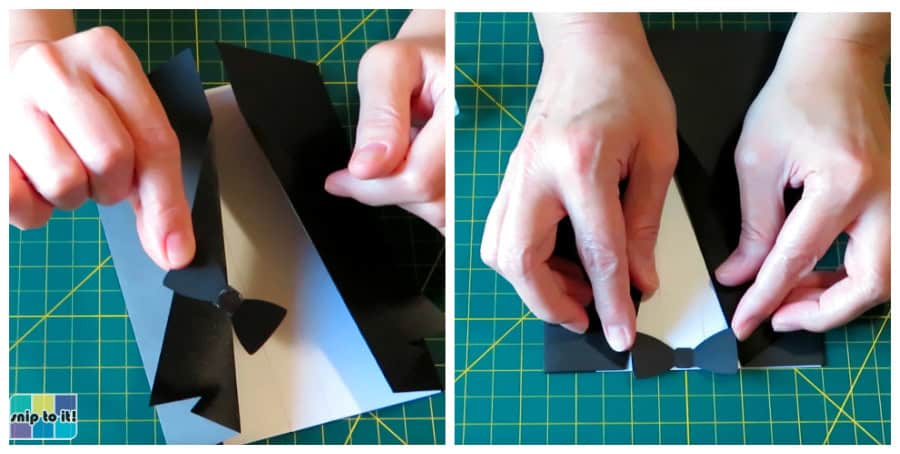
Next, I used a couple of glue dots to tack my lapels down. This is optional, if you prefer, you can leave the lapels unsecured.
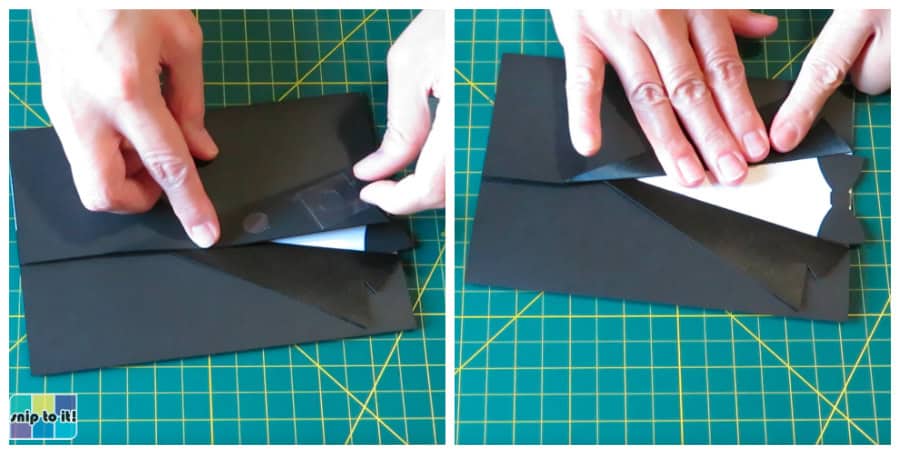
The buttons can be added without transfer tape (if using vinyl), just place them in the center of the placket like stickers. Place the bottom button first by closing the lapels and placing the button just above where the 2 lapels cross. Place the top button between the bottom button and the bowtie.
Add the rose and finish the envelope
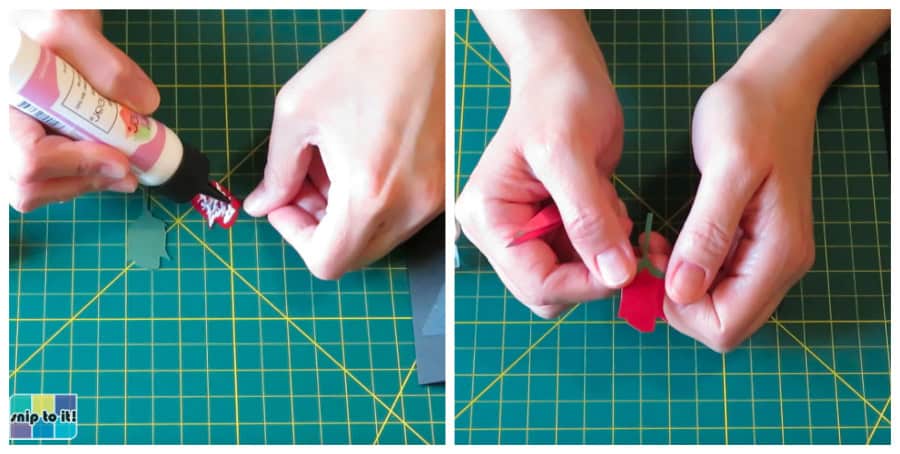
I used Art Glitter glue to stick the red part of my rose to the green base. Just add adhesive to the red cardstock (don’t use as much glue as I did in this photo!!!) and align it at the top of the green part.
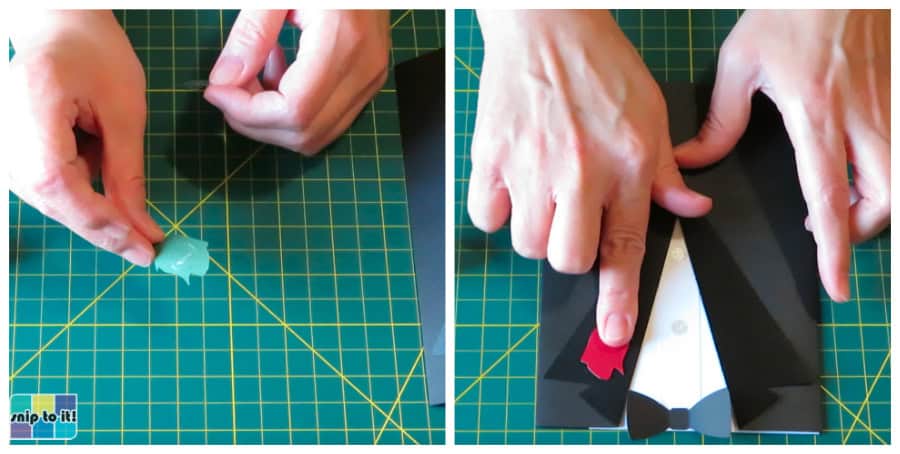
Use a glue dot to secure the rose to the top of the right lapel.
To finish the envelope, I added tape runner to the inside of the left-hand flap of the envelope and glued it to the white insert piece.
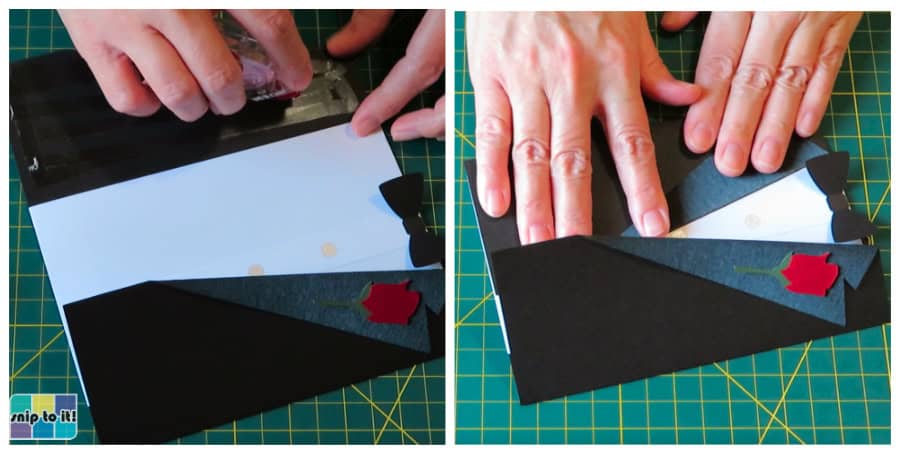
Bravissimo!
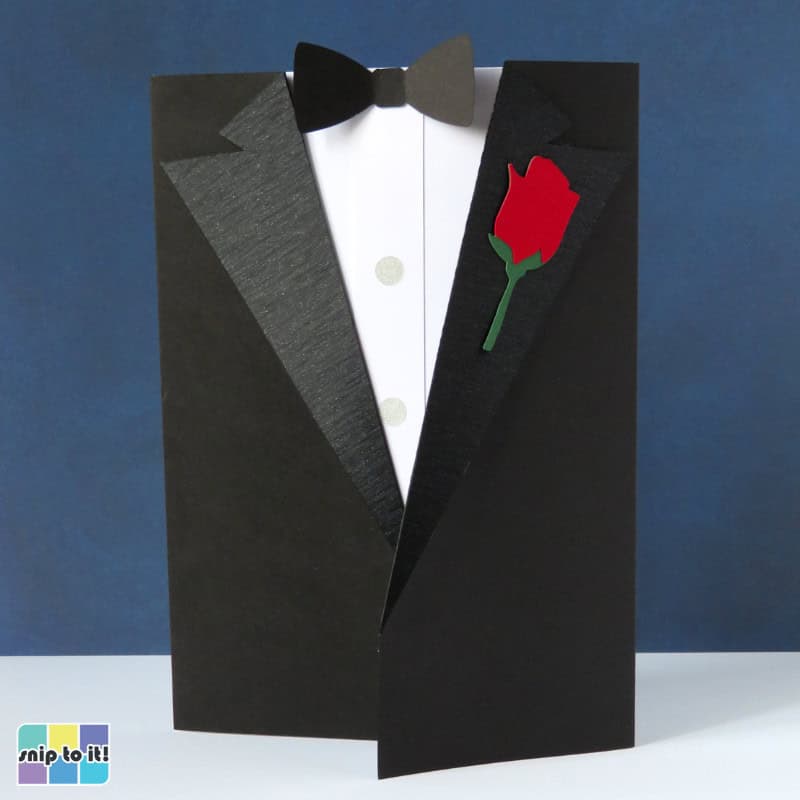
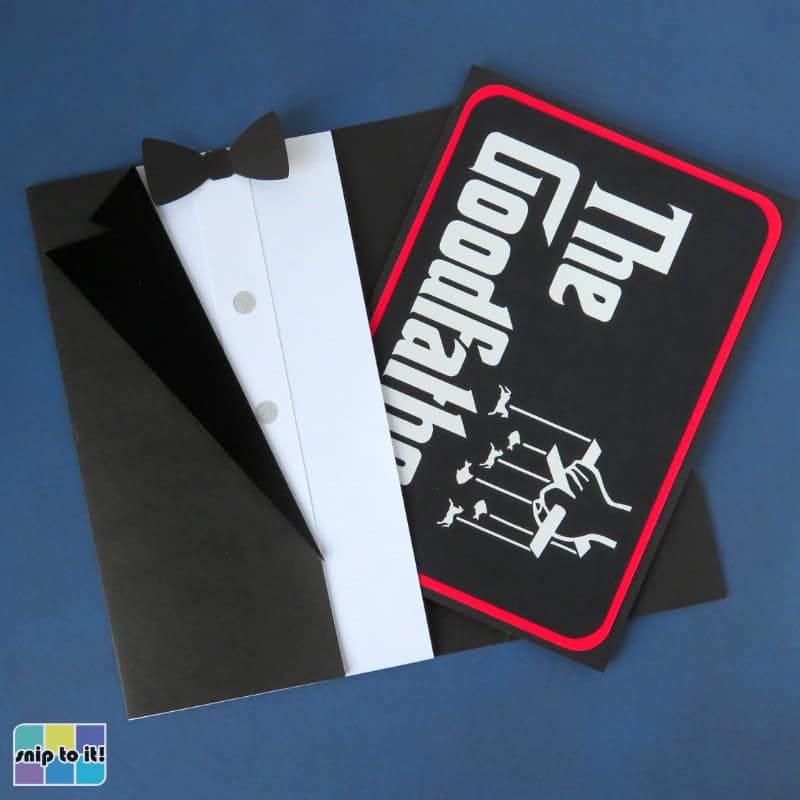
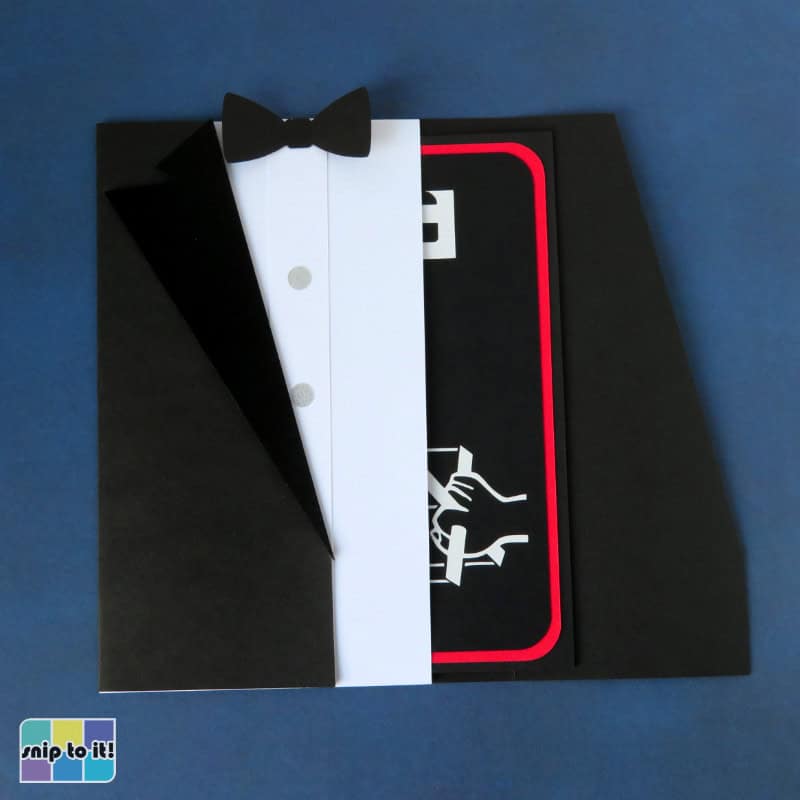
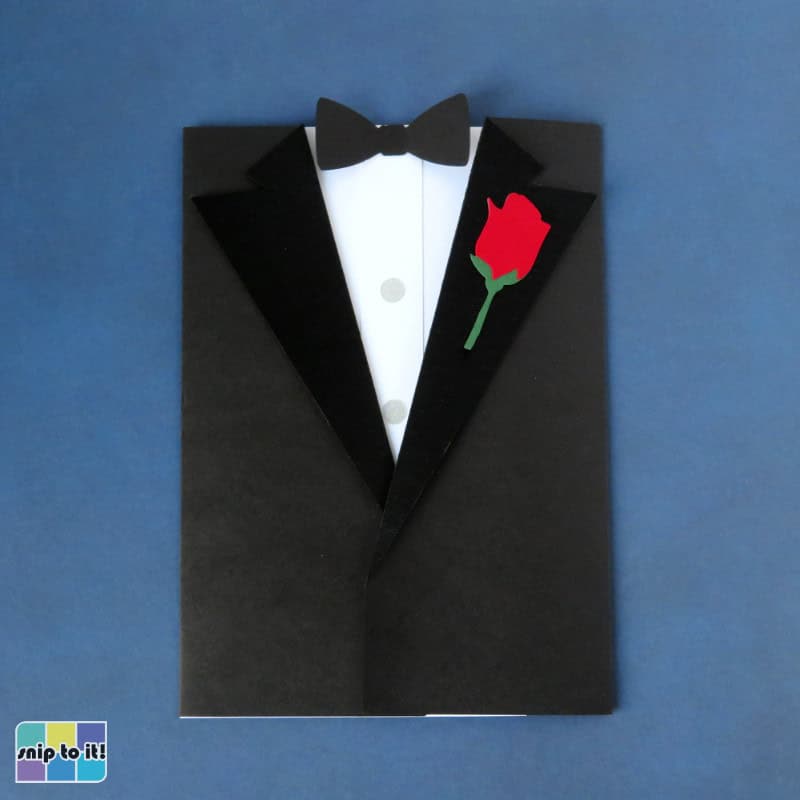
We hope your father or other recipient loves the effort you put into making this dapper envelope.
Before you go, you might like these other projects with free designs to download: